 Build faster with AI — Get started with the Nium MCP Server
Build with AI Agents
Nium is designed for AI-powered development. Connect your AI coding assistant, agent, or LLM to Nium. Generate integration code, discover APIs, execute sandbox workflows, and build global money movement applications faster.
Whether you're using Claude, Cursor, VS Code, or ChatGPT, you can now ask questions about Nium in real-time and execute workflows directly from your IDE or agent framework.
AI Developer Tools
 Nium MCP Server
 Agent-Ready Docs
 Copy for LLM
 Raw Markdown
Get Started in 5 Minutes
Three simple steps to connect Nium to your AI tools.
- 1. Get Your Sandbox API Key
- 2. Install the MCP Server
- 3. Ask Nium Questions
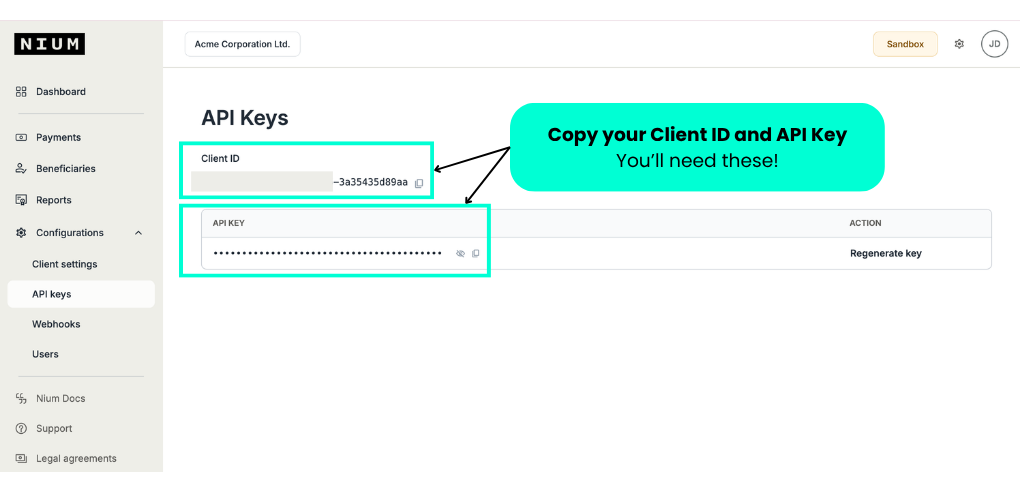
Get your Nium Sandbox API key so your agent can call Nium APIs on your behalf.
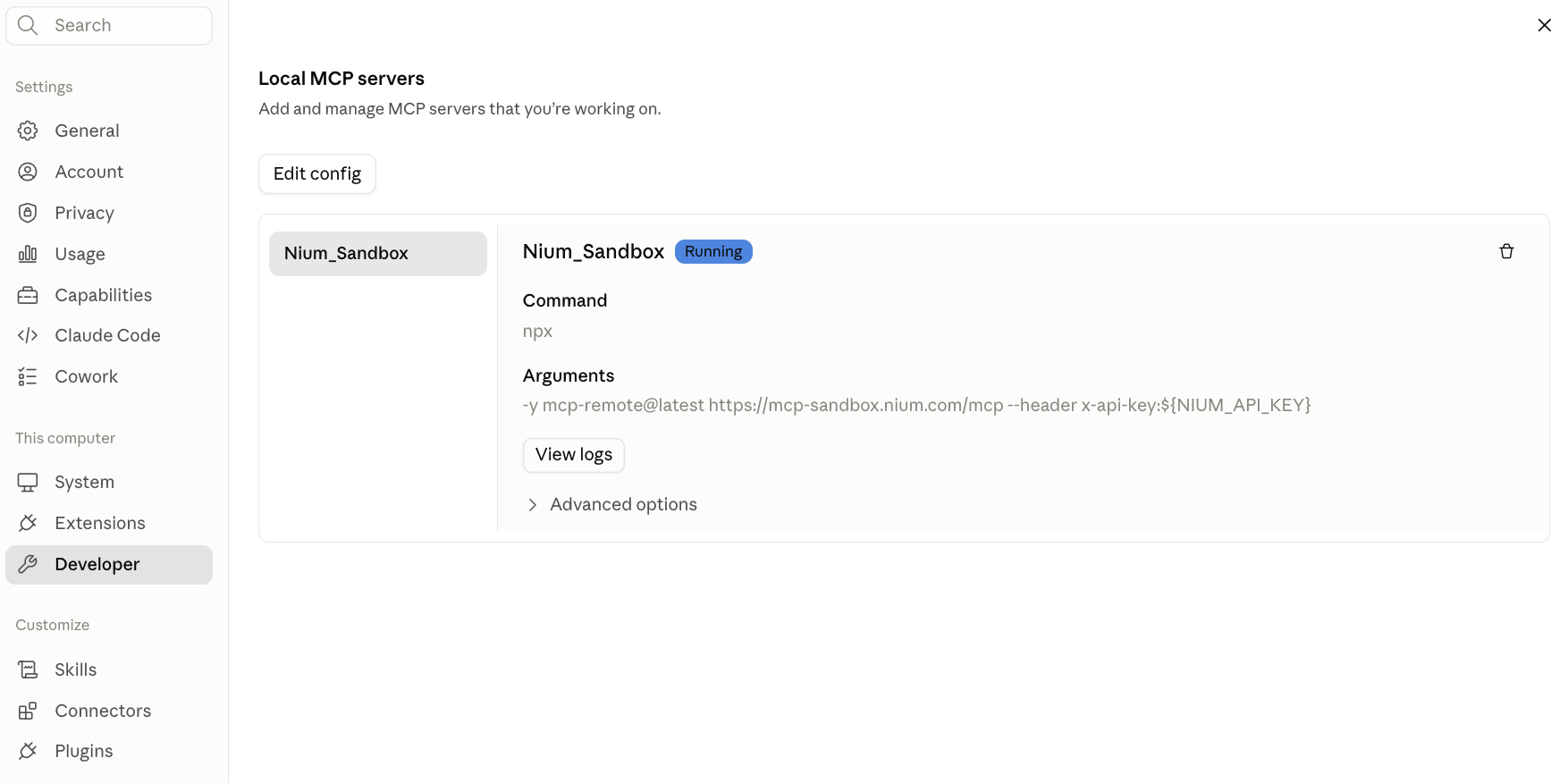
Install the Nium MCP Server in your agent environment, such as Claude, Cursor, or VS Code.
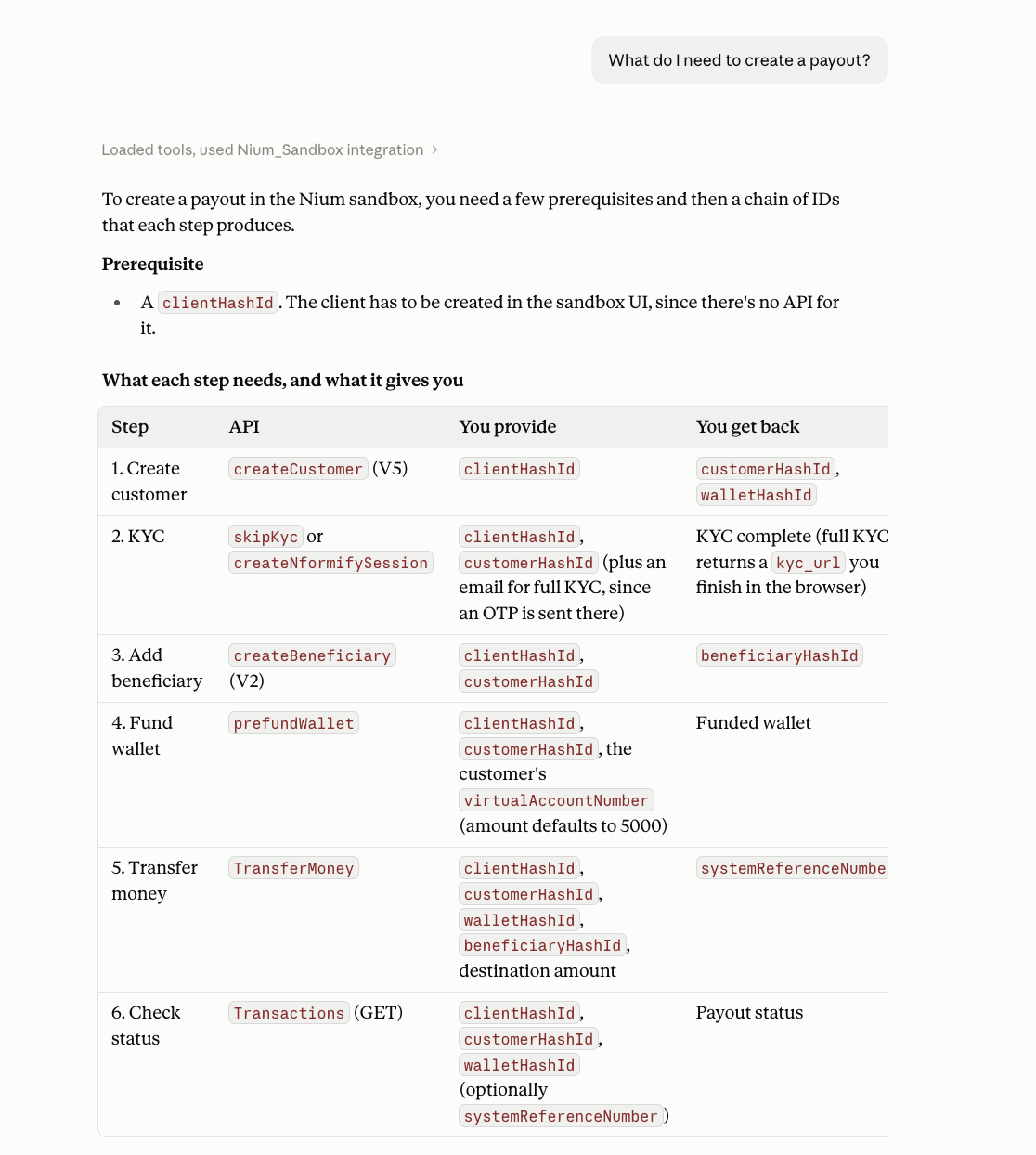
Use Cases
Choose the approach that fits what you're building. You can combine them, for example by using the MCP Server in your IDE while grounding a custom agent with llms-full.txt.
Build faster with Nium MCP Server
Give your favourite AI assistants direct access to Nium documentation, APIs, workflows, and tools through the Nium MCP Server.
Best for: interactive API discovery, workflow guidance, code generation, troubleshooting, and agentic applications.
Example prompts:
Using Nium, what APIs are required to send a payout from Singapore to the US?
Using Nium, generate a Node.js integration for creating a beneficiary and sending a payout.
Using Nium, explain this API error and how to resolve it.
AI-powered development
Use Nium documentation with coding agents to speed up implementation.
Example prompts:
Build a React application that creates beneficiaries and initiates payouts using Nium APIs.
Generate Postman collections and test cases for payout APIs.
llms.txt and llms-full.txt
Give AI models a structured, machine-readable version of Nium documentation. Agent-Ready Documentation explains which file to use.
Best for: custom AI assistants, RAG applications, internal knowledge systems, and AI-powered search.
Example use cases:
- Index Nium documentation in your own AI chatbot.
- Improve retrieval quality for payment and onboarding questions.
Copy for LLM
Paste any Nium page into ChatGPT, Claude, Gemini, Cursor, Windsurf, or your preferred AI tool. See Using Nium Docs with AI.
Best for: one-off questions, rapid prototyping, learning APIs, and generating sample code.
Example prompts:
Explain how Nium corporate onboarding works.
Summarize the required parameters for creating a beneficiary.
AI-assisted troubleshooting
Use AI to understand errors, validate requests, and diagnose integration issues.
Example prompts:
Explain why this payout request is failing.
Compare my payload against Nium documentation and identify missing fields.
Custom AI agents
Build agents that answer questions, generate code, and assist developers, with Nium documentation as the source of truth. Common examples include internal developer copilots, support assistants, and integration onboarding assistants.
What's Next?
- Explore the MCP Server → Complete tutorial with Claude Desktop
- Learn all available tools → API reference for the MCP Server
- Get unstuck → Troubleshooting and FAQ